> For the complete documentation index, see [llms.txt](https://whitepaper.coincraze.co/llms.txt). Markdown versions of documentation pages are available by appending `.md` to page URLs; this page is available as [Markdown](https://whitepaper.coincraze.co/tutorial/trading-bot/register-bot.md).
# Register Bot
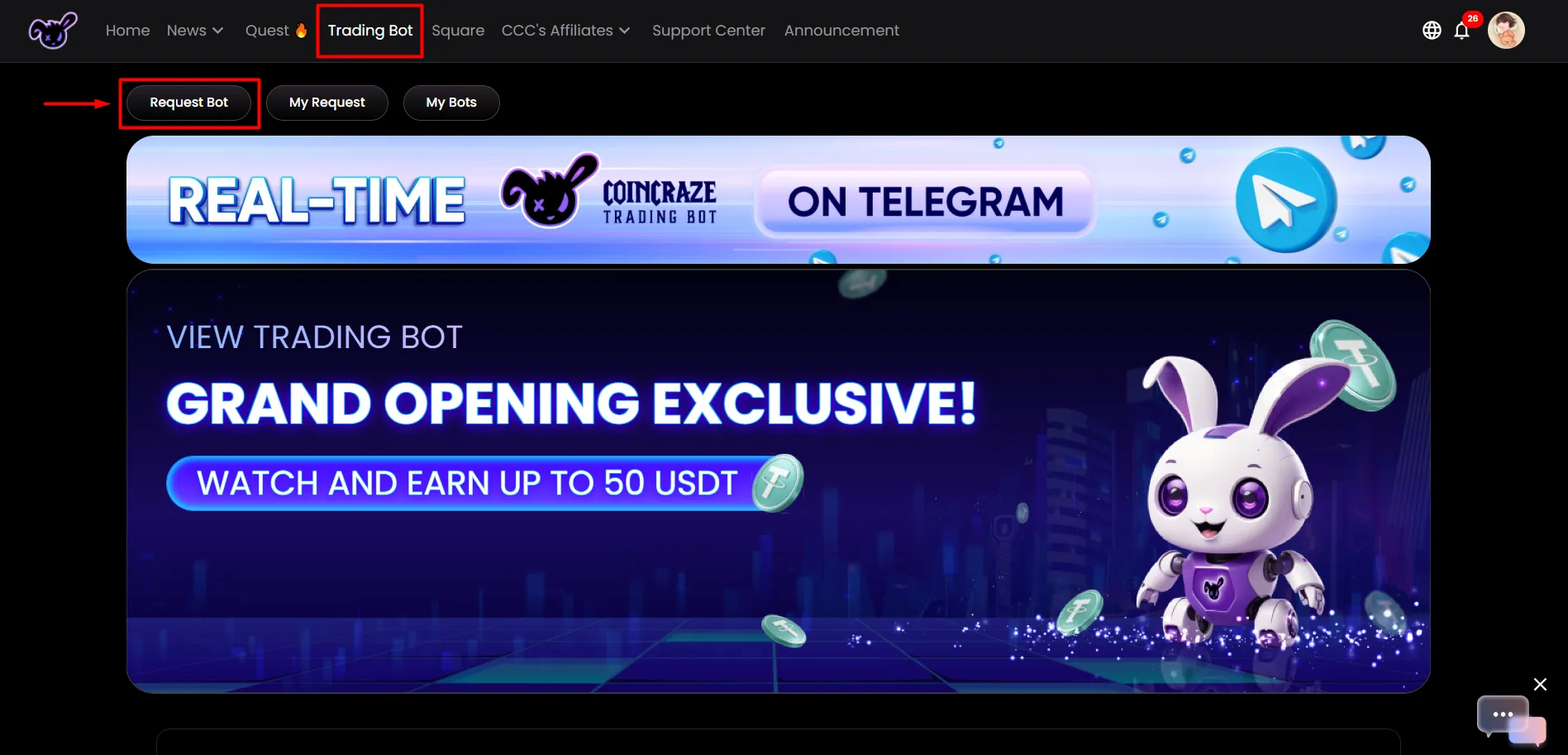
On the homepage, select Trading Bot, then click Request Bot.
**>> Proceed with setup**
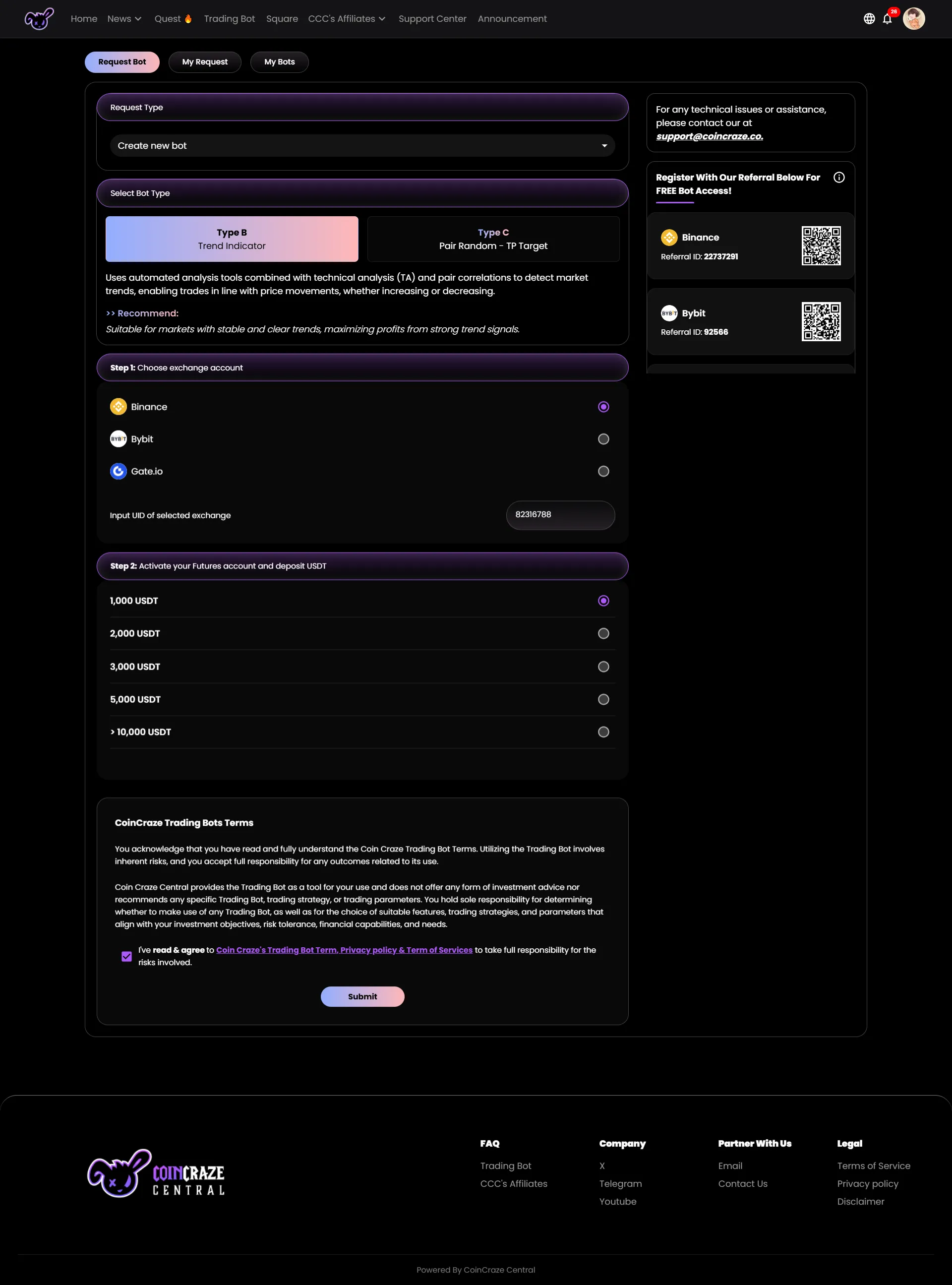
■ Step 1. At "**Request Bot**" Choose the trading type under **Select Bot Type**: \
**+ Type B - Trend Indicator:** Suitable for markets with stable and clear trends, maximizing profits from strong trend signals. \
**+ Type C (Pair Random - TP Target):** Effective in markets with clear trends, such as Bullish or Bearish.
\>> In **Step 1. Choose exchange account** select:
* The exchange where the bot will operate.
* Enter the UID of the exchange account registered under Coincraze Central in **Input UID of selected exchange.**
\>> In **Step 2. Activate your Futures account and deposit USDT**, specify the initial USDT amount to activate the bot.
Agree to the terms of Coincraze Central and click **Submit**.
\>> A confirmation popup will appear → click Confirm.
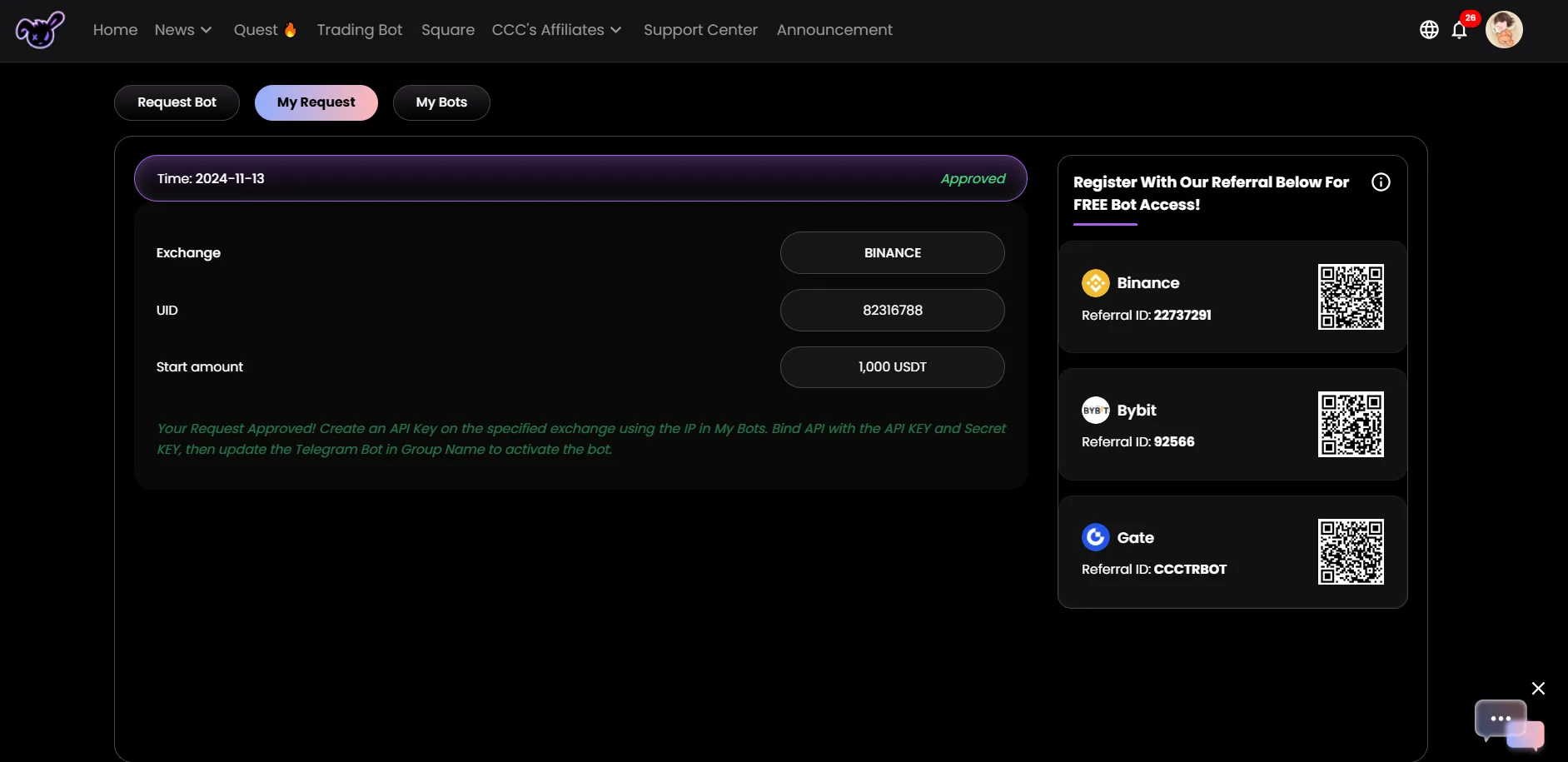
*※ Within 24 hours, the system will provide results in **My Request***
* ***Approved:** Your bot registration request has been accepted, and you may proceed to the next step.*
* *Reject: Your request has been denied. Check your email for the reason and reapply.*
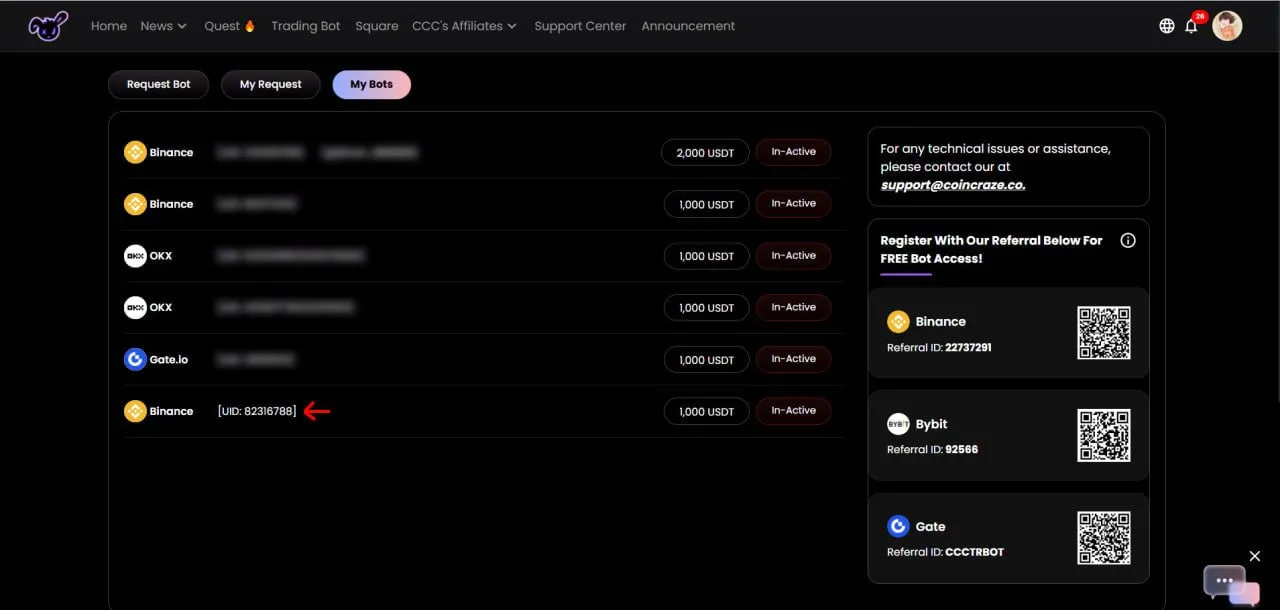
■ Step 2. At My Bots select the exchange to set up the API.
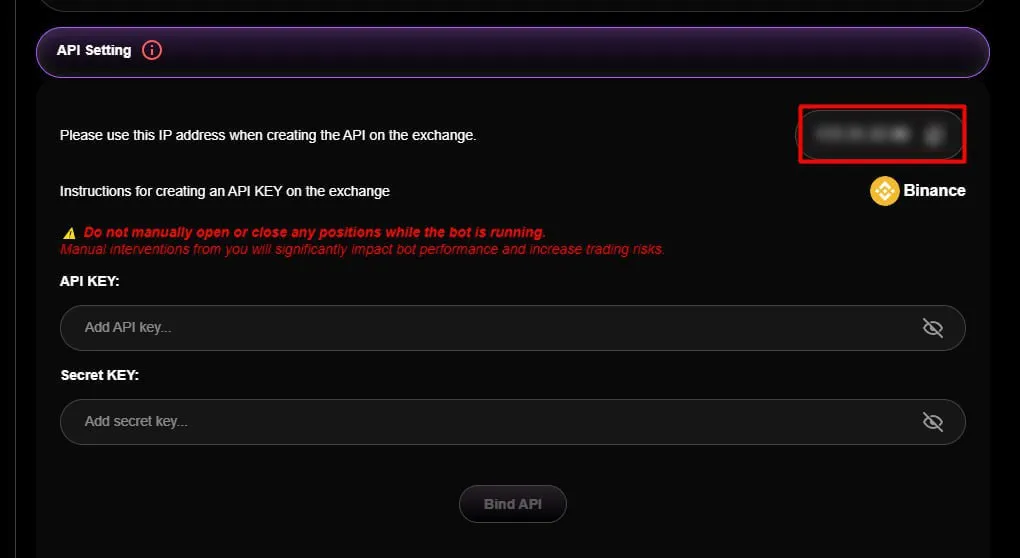
At API Setting: Use the IP address provided by Coincraze Central to create the API on the exchange.
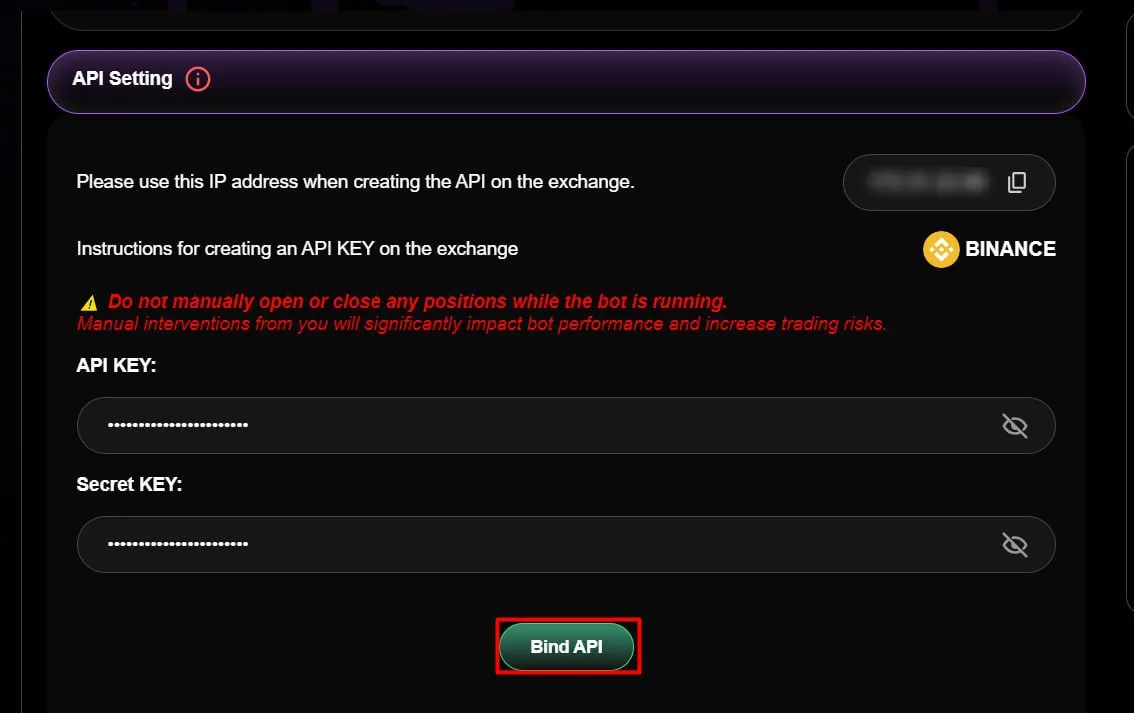
\>> After creating the API on the exchange, enter the API Key and Secret Key, then click Bind API.
\*\*\*\*\*\* [Create a Telegram group](https://www.notion.so/112ef9f4043e80e5a6bcdf4f30ed8c54?pvs=21) and set the bot @coincraze\_trading\_assistant\_bot as an admin following the guide.\*\*\*
\>> Enter your **Telegram group name** in **Group Name**, then click **Save**.
■ NOTES
> > The bot will activate within 24 hours after a successful Bind API. Ensure USDT is deposited and transferred to the Futures Account of the exchange before the bot is activated.\*\*
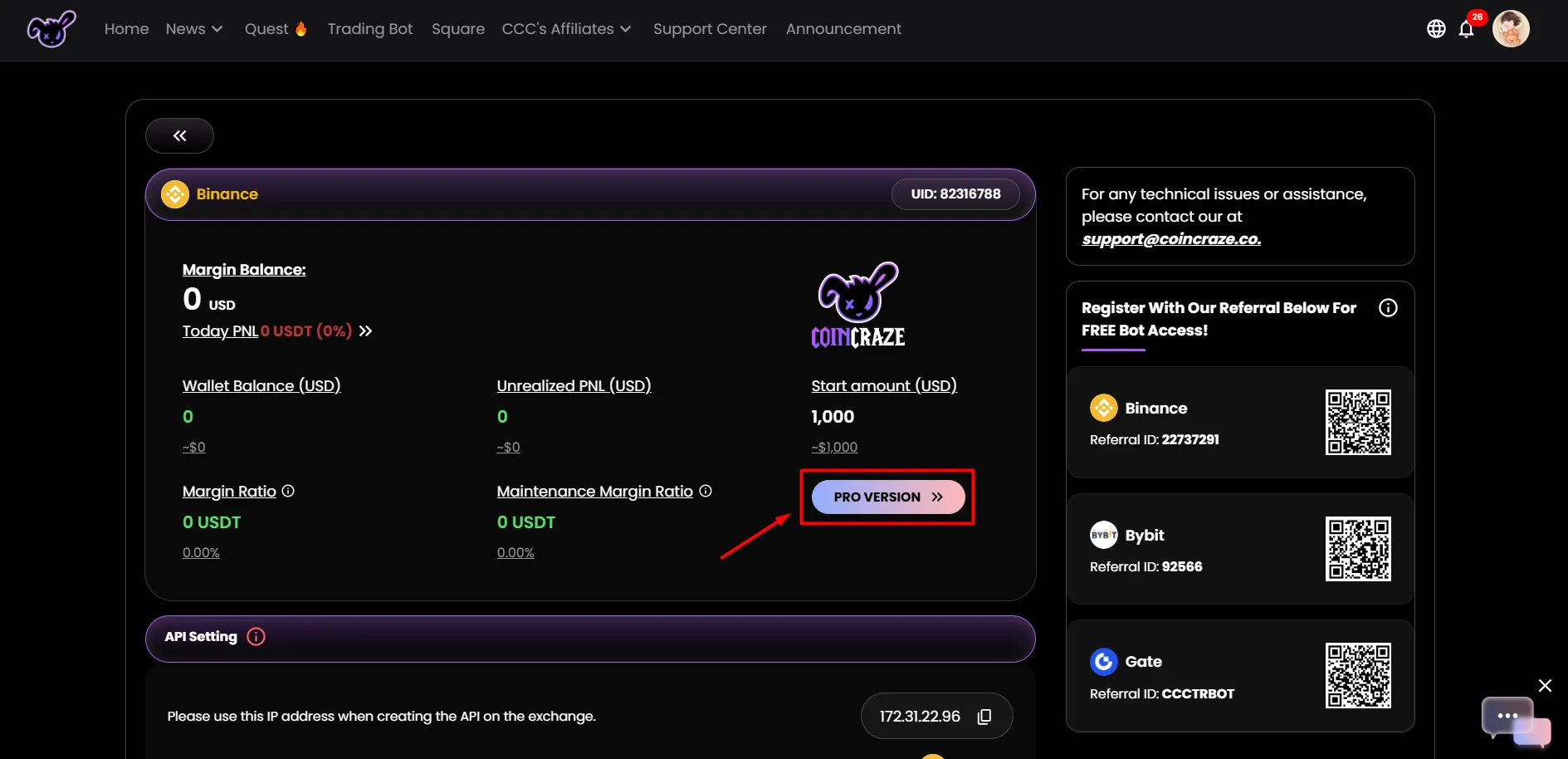
■ Step 3. After activation, click the **PRO VERSION** icon to monitor the bot's performance.
**>>** Log in at using your Coincraze Central account.
**>> Start configuring the bot according to the selected Type B or Type C.**